Giving AI Agents Safe Access to Your Licensing Data
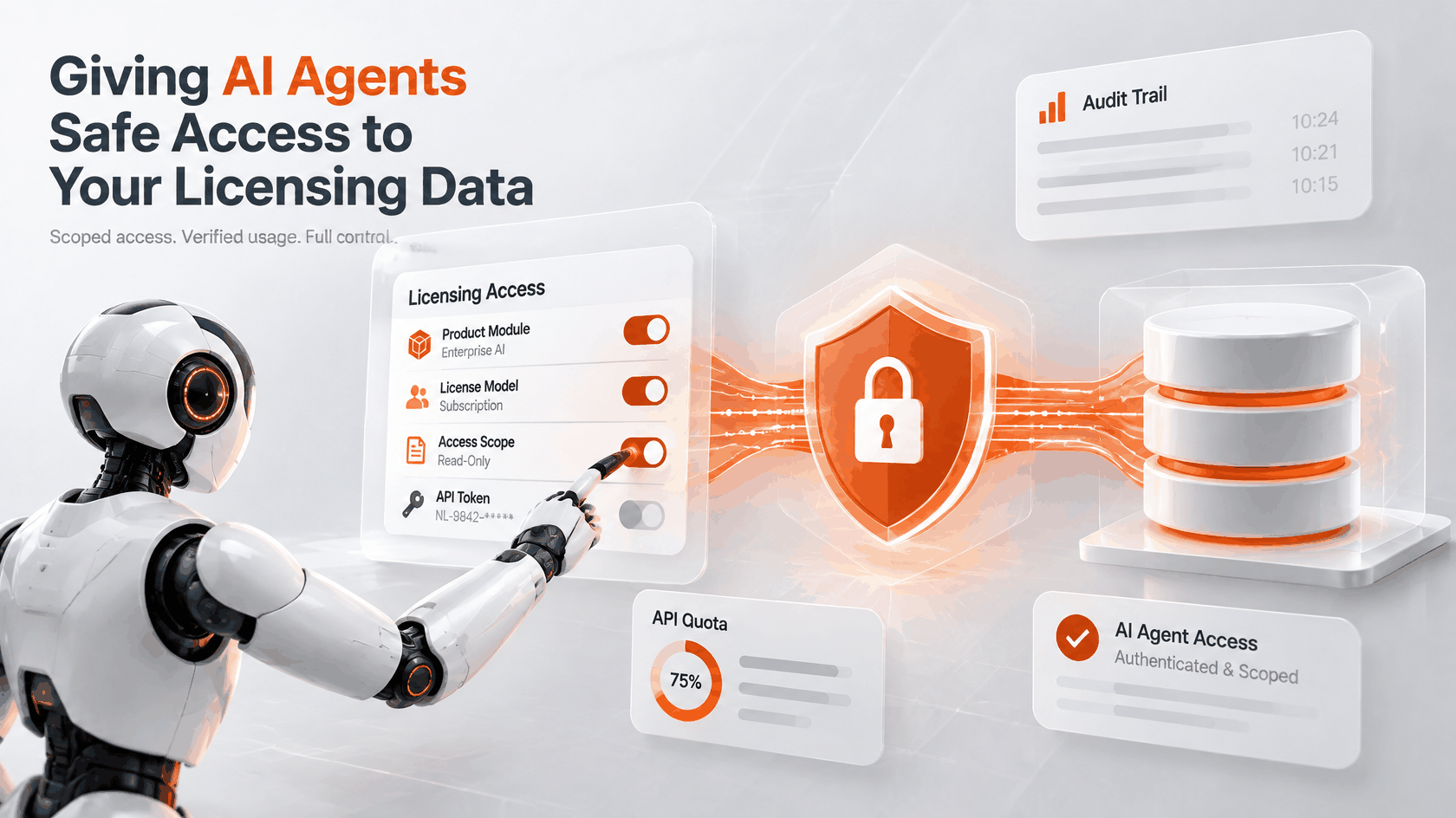
Your next API client may not be a developer. It could be an AI agent that finds licenses about to expire, sends a customer a renewal link, or tidies up licensees with nothing active.
Agents don’t click through dashboards. They call APIs. That’s handy, and it raises an uncomfortable question: what exactly are you letting them touch?
A licensing system stores the rules for who may use what. An agent with unrestricted access can rewrite those rules. So “can an agent use our API?” is the wrong thing to ask. Ask how small you can make what it’s allowed to do.
Below is how that works in NetLicensing today, limited to what the API and the MCP server actually do. For the wider architecture picture, see SaaS in the AI Era.
Give the agent a key, not your login
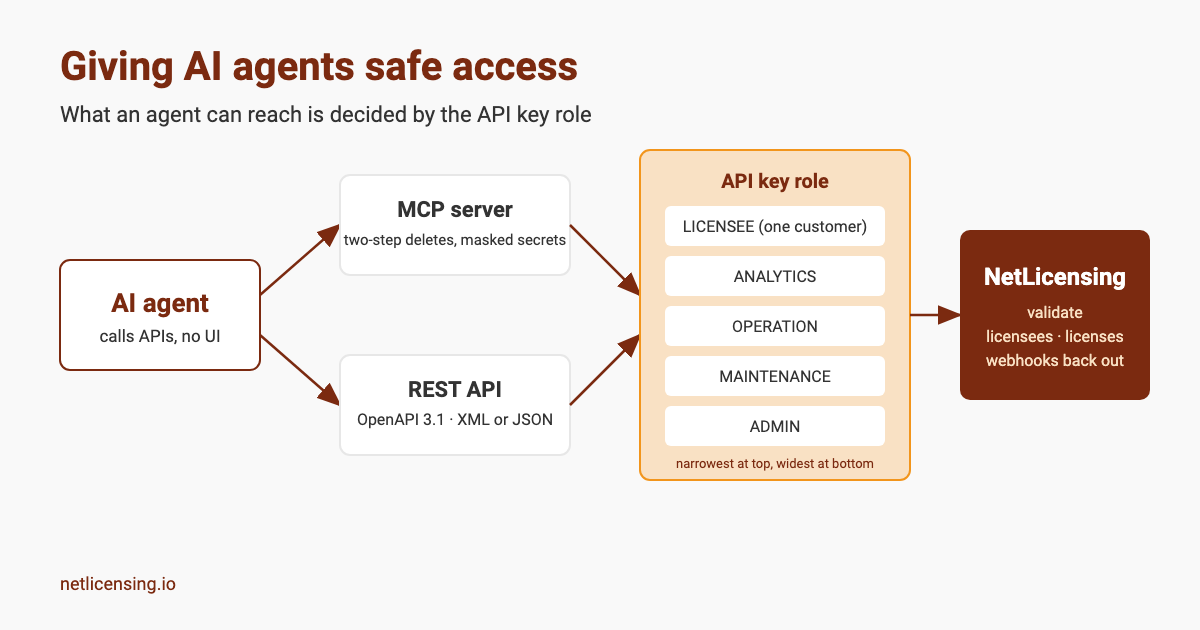
The REST API accepts either the vendor account login or an API key. For an agent, use a key.
Each key has one of five roles, from narrowest to widest: ROLE_APIKEY_LICENSEE, ROLE_APIKEY_ANALYTICS, ROLE_APIKEY_OPERATION, ROLE_APIKEY_MAINTENANCE and ROLE_APIKEY_ADMIN. Every API operation lists the roles allowed to call it, and any other role gets a 403.
Two details matter for agents. A licensee-role key is bound to a single licensee, so list calls only return that customer’s data. And a key that isn’t an admin key can create only SHOP tokens and ACTION tokens for licenseeLogin. It can’t mint new API keys.
An agent that only answers customer questions can therefore run on a key that can’t edit products and can’t hand out more access than it has.
Ask the server whether a license is valid
Agents are good at calling a function and unreliable at re-implementing your pricing logic. The validate call suits them. You send a licensee number, and the server runs the licensing models of that licensee’s product modules and returns the result.
The agent doesn’t need to know if a module is a subscription, a quota or a feature flag. It gets the answer from the same engine your application uses. If the API key has a privateKey property, the XML response is signed, so you can check it wasn’t altered in transit.
Push events instead of polling
An agent that asks “anything new?” every few seconds burns calls for nothing. NetLicensing can call your endpoint instead. The notification API supports four events: LICENSEE_CREATED, LICENSE_CREATED, WARNING_LEVEL_CHANGED and PAYMENT_TRANSACTION_PROCESSED.
Send them to the system your agent already listens to, and it reacts when something happens.
Use the MCP server for chat-style access
The NetLicensing MCP server wraps the REST API as tools for MCP-compatible clients such as Claude Desktop, GitHub Copilot in agent mode, VS Code and JetBrains IDEs. You can ask “Which licenses are expiring in the next 30 days?” or “Find licensees with no active licenses” in plain language.
It also shows how an agent-facing layer can protect itself:
- A delete first returns a preview and a single-use confirmation token. It runs only when the token comes back, and the token expires after five minutes.
- Fields such as
apiKey,licenseeSecret,nodeSecretandpasswordare masked in every response and log. - New API and shop tokens are marked
shown_once, and later reads return masked values. - If you set no API key, the server refuses to start unless you explicitly turn on the sandbox.
What scoped keys don’t fix
A role limits which calls an agent can make. It says nothing about whether a call is a good idea. An agent with ROLE_APIKEY_OPERATION can still make an operational mistake within that role. Pick the narrowest role that does the job, and keep write roles away from agents that only need to read.
Where I’d start
- Reporting agent: an analytics-role key. The API spec doesn’t list that role on the calls that create or change products or licensees.
- Customer-facing assistant: a licensee-role key, one per customer.
- Back-office automation: an operation-role key, plus webhooks for the events it handles.
- Administrative changes: leave them to a person.
You can try the calls in the API Test Center and read the REST API reference. To get your first API key, create an account. Planning an agent integration and want a second pair of eyes on the setup? Talk to us.
Image Credits: NetLicensing
Related Posts

One Revenue Stream May No Longer Be Enough

The AI-Driven Transformation of Enterprise Software Licensing: From Seats to Tokens
Beyond Roles and Attributes: Introducing Entitlement-Based Access Control (EBAC) and Feature-Based Access Control (FeBAC)